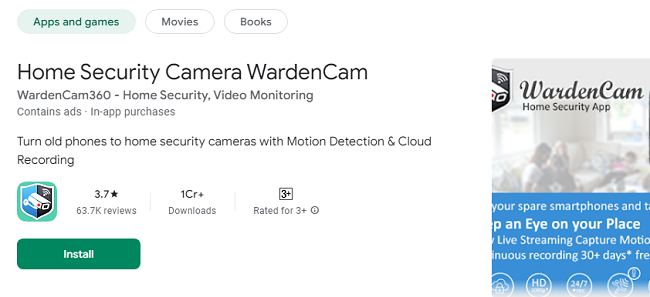
In the digital age, home and office security have become essential priorities. Modern advancements have given rise to innovative security solutions that are both cost-effective and user-friendly. One such revolutionary tool is WardenCam Pro, a premium version of the popular WardenCam app. Designed for Android and iOS users, WardenCam Pro elevates home surveillance with enhanced features, superior control, and unmatched reliability. This comprehensive guide will explore the unique aspects of WardenCam Pro, how it enhances your security setup, and why it is the ideal choice for modern surveillance needs.
What is WardenCam Premium?
WardenCam Pro is the upgraded, premium version of the WardenCam app that turns your old smartphones and tablets into professional-grade security cameras. Unlike the standard version, WardenCam Pro offers additional features such as unlimited cloud storage integration, high-resolution video recording, and advanced motion detection customization. These enhancements make it the perfect solution for users seeking a more sophisticated, reliable, and hassle-free security experience.
Exclusive Features of WardenCam Pro
1. Ad-Free Experience
One of the primary advantages of WardenCam Pro is the elimination of ads. In the free version, ads can sometimes disrupt the user experience, but WardenCam Pro offers uninterrupted monitoring and a clean, distraction-free interface.
2. High-Resolution Video Streaming and Recording
WardenCam Pro offers superior video quality, ensuring crystal-clear footage. Whether it’s day or night, you can monitor your surroundings in high definition, making it easier to identify faces, objects, or any suspicious activity.
3. Unlimited Cloud Storage
With WardenCam Pro, you gain access to unlimited cloud storage options via platforms like Google Drive or Dropbox. This ensures that you never run out of space for your recordings and can easily review historical footage when needed.
4. Enhanced Motion Detection Settings
Unlike the standard version, WardenCam Pro offers advanced motion detection customization. You can fine-tune sensitivity settings to differentiate between minor movements (like pets) and significant activities (like intruders), reducing false alarms.
5. Scheduled Recording
WardenCam Pro allows users to set up scheduled recordings. You can choose specific times of the day or night when you want the camera to be active, optimizing power usage and ensuring key moments are captured.
6. Priority Customer Support
Pro users benefit from dedicated customer support, ensuring quick resolutions to any technical issues or queries.
Why Choose WardenCam Pro App?
1. Affordable Alternative to Traditional Security Systems
Traditional security systems often come with high installation costs, monthly subscription fees, and complex setups. WardenCam Pro offers a powerful yet affordable alternative by leveraging devices you already own.
2. DIY-Friendly Setup
WardenCam Pro is designed with simplicity in mind. You don’t need technical expertise to set up or operate the system, making it ideal for homeowners, renters, and small business owners.
3. Flexible Monitoring Options
With WardenCam Pro, you can monitor multiple locations simultaneously. Whether you want to keep an eye on different rooms in your home or different offices in a building, the app provides seamless multi-camera support.
4. Data Privacy and Security
WardenCam Pro takes data privacy seriously. All video feeds and recordings are encrypted, ensuring that your footage is secure and accessible only to you.
5. Global Accessibility
Wherever you are in the world, WardenCam Pro ensures you stay connected to your security system. With remote access, you can view live streams, review recorded footage, and receive alerts on the go.
How to Install and Set Up WardenCam Pro?
Step 1: Download WardenCam
Visit the Google Play Store or Apple App Store and search for WardenCam App. Download and install the app on both your old smartphone (camera) and your current device (viewer).
Step 2: Log In with Google or Custom Account
Log in using your preferred method Google account or another supported login to sync your devices seamlessly.
Step 3: Choose Camera and Viewer Roles
On the old device: Select “Camera” mode to enable live streaming.
On the primary device: Select “Viewer” mode to monitor the feed.
Step 4: Customize Settings
Adjust motion detection sensitivity, video quality, and storage preferences.
Set up notifications and alerts for instant updates on unusual activities.
Step 5: Activate Scheduled Recording
Use the scheduling feature to define active surveillance periods, ensuring your camera operates during key hours without consuming unnecessary power.
Step 6: Upgrade to Pro
You can get the pro version from the app itself. Upgrade to the premium version for 24/7 video monitoring with a one-time payment of USD $5.99. Enjoy full access with no monthly fees!
Practical Applications of WardenCam Premium version
1. Home Security for Families
WardenCam Pro is ideal for ensuring the safety of your loved ones. Monitor entry points, windows, and common areas to deter potential intruders and maintain peace of mind.
2. Elderly Care
If you have elderly family members, WardenCam Pro offers a way to check in on them regularly. The two-way audio feature allows you to communicate instantly and provide assistance when needed.
3. Retail Store Surveillance
Small business owners can use WardenCam Pro to monitor their stores, cash registers, and inventory. Its high-definition video quality ensures clear footage of any incidents.
4. Remote Vacation Property Monitoring
If you own a vacation home, WardenCam Pro lets you monitor it remotely. You can keep track of maintenance issues, unauthorized access, or natural events like storms.
5. Construction Site Monitoring
For contractors or builders, WardenCam Pro provides a way to keep an eye on construction progress, equipment safety, and unauthorized access to job sites.
Tips for Optimizing WardenCam Pro Usage
1. Use Dedicated Power Sources
Ensure your camera device is connected to a continuous power supply to avoid interruptions in surveillance.
2. Position Cameras Strategically
Place cameras at entry points, hallways, and other critical areas to maximize coverage and effectiveness.
3. Regularly Review Footage
Periodically review your stored footage to ensure nothing important is missed and to clear space for new recordings.
4. Update the App Frequently
Keep WardenCam Pro updated to access the latest features, security patches, and performance improvements.
5. Integrate with Smart Home Devices
Combine WardenCam Pro with other smart home devices like smart locks, alarms, and lights for a comprehensive security system.
Conclusion
WardenCam Pro is a game-changer in the world of mobile surveillance. Its premium features, ease of use, and affordability make it the go-to solution for anyone seeking a robust security system. Whether you’re securing your home, monitoring a business, or caring for loved ones, WardenCam Pro offers unparalleled convenience and peace of mind.
Upgrade to WardenCam Pro today and experience the future of security at your fingertips.