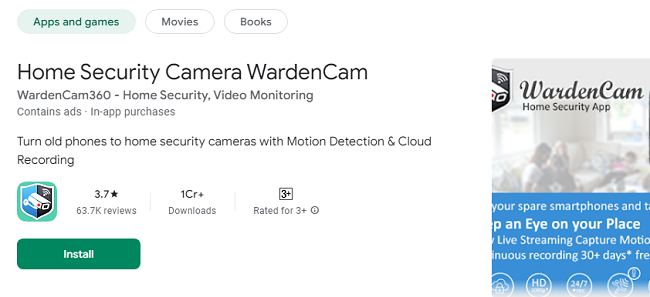
In today’s fast-paced world, the need for reliable, affordable home security solutions is more important than ever. WardenCam APK offers a unique, do-it-yourself (DIY) approach to home monitoring, transforming your old Android devices into high-quality surveillance cameras. Whether you want to keep an eye on your home, loved ones, pets, or office, WardenCam APK provides a powerful, cost-effective way to stay connected and secure.
This guide explores the features, benefits, and various use cases of WardenCam APK, as well as tips on how to optimize your home security setup using this innovative application.
What is WardenCam App?
WardenCam App is the Android application that is designed to turn any spare Android phone or tablet into a fully functional home security camera. It allows users to stream live video, detect motion, record events, and store footage in the cloud. Unlike traditional home security systems, WardenCam APK eliminates the need for expensive hardware and subscription fees, making it an ideal choice for those seeking a budget-friendly security solution.
Key Features of WardenCam Home Security Camera
1. Motion Detection and Instant Alerts
WardenCam APK is equipped with advanced motion detection technology. When motion is detected, the app automatically begins recording and sends an alert to your primary device via push notifications or email. This ensures you’re always aware of what’s happening, even if you’re miles away.
2. Live Video Streaming
With WardenCam APK, you can access a live video feed from your camera device in real-time. This feature is especially useful for checking on your home, pets, or loved ones at any time of the day or night. The app’s high-quality video streaming ensures a clear and reliable connection.
3. Cloud Storage Integration
The app seamlessly integrates with Google Drive and Dropbox, allowing you to store all recorded footage securely in the cloud. This eliminates the need for local storage and ensures your recordings are safe even if the camera device is compromised or stolen.
4. Two-Way Audio Communication
WardenCam APK includes a two-way audio feature, allowing you to listen and speak through the camera device. This is perfect for communicating with family members, calming pets, or even deterring potential intruders by letting them know they’re being watched.
5. Multi-Camera Support
The app supports multiple camera devices, enabling you to set up a comprehensive home security system. You can monitor all your cameras simultaneously from a single viewer device, making it easy to keep an eye on multiple areas at once.
6. Night Monitoring Capability
While WardenCam APK does not have built-in night vision, it performs well in low-light conditions by utilizing the device’s flash or ambient lighting. Placing the camera in well-lit areas enhances its night monitoring capabilities.
Benefits of Using WardenCam App
1. Cost-Effective Home Security
One of the standout benefits of WardenCam APK is its affordability. Traditional security systems can be costly due to hardware, installation, and monitoring fees. WardenCam APK leverages existing devices, eliminating the need for expensive equipment.
2. Easy Installation and Setup
Setting up WardenCam APK is a breeze. Download the APK file, install it on your devices, sign in with a Google account, and configure the camera and viewer settings. The entire process takes just a few minutes, making it accessible even to those with minimal technical expertise.
3. Remote Monitoring
WardenCam APK allows you to monitor your home or office remotely from anywhere with an internet connection. Whether you’re at work, on vacation, or running errands, you can check in on your property at any time, giving you peace of mind.
4. Enhanced Privacy and Security
All recorded footage is stored directly in your personal cloud storage, ensuring that no third-party servers have access to your data. This focus on privacy makes WardenCam APK a secure choice for users who value data protection.
5. Versatile Usage
WardenCam APK is not limited to home security. It can be used for various purposes, including monitoring pets, checking in on elderly relatives, supervising children, or keeping an eye on your office or small business.
How to Download & Install WardenCam APK for Android
The official app is available in the Google Play Store. You can also download the WardenCam App from a trusted website. To get started with APK file, follow these simple steps:
Step 1: Download the APK File
Visit a trusted source to download the WardenCam APK file. Ensure that you download the latest version to access the most up-to-date features and security enhancements.
Step 2: Enable Unknown Sources
Before installing the APK file, you’ll need to enable the installation of apps from unknown sources:
Go to your Android device’s Settings.
Navigate to Security or Privacy.
Toggle on Unknown Sources to allow installation.
Step 3: Install the APK
Locate the downloaded WardenCam APK file in your device’s file manager. Tap on the file and follow the on-screen instructions to complete the installation.
Step 4: Configure the App
Open WardenCam, sign in with your Google account, and choose the appropriate mode:
Camera Mode for the device that will act as the surveillance camera.
Viewer Mode for the device you’ll use to monitor the live feed.
Optimizing Your WardenCam Setup
1. Placement of Camera Devices
Position your camera devices strategically to maximize coverage. Ideal locations include entry points like doors and windows, high-traffic areas, and rooms where valuables are kept.
2. Use Power Sources for Continuous Monitoring
To ensure uninterrupted monitoring, keep your camera devices plugged into a power source. This prevents battery drain and ensures 24/7 surveillance.
3. Adjust Motion Detection Sensitivity
Fine-tune the motion detection sensitivity to reduce false alarms caused by pets or environmental factors. This ensures you only receive alerts for significant movements.
4. Utilize Cloud Storage Wisely
Manage your cloud storage by regularly reviewing and deleting old recordings. This helps free up space and ensures important footage is readily accessible.
5. Secure Your Devices
For added security, enable screen locks and password protection on all devices running WardenCam APK. This prevents unauthorized access to your camera feeds.
Common Use Cases for WardenCam APK
1. Home Security
Keep your home safe by monitoring entry points and high-traffic areas. Receive instant alerts if any suspicious activity is detected.
2. Pet Monitoring
Check in on your pets while you’re away and use the two-way audio feature to interact with them.
3. Elderly Care
Ensure the safety of elderly relatives by setting up a camera in their living area. Use the app to monitor their well-being and communicate with them as needed.
4. Office Surveillance
Monitor your office or small business to prevent theft and ensure employee productivity.
5. Baby Monitoring
Turn a spare device into a baby monitor and keep an eye on your little one from anywhere in the house.
Conclusion
WardenCam APK is a game-changing solution for anyone seeking a flexible, cost-effective home security system. Its powerful features, including motion detection, live streaming, cloud storage, and two-way audio, make it a versatile tool for a wide range of monitoring needs. By repurposing your old Android devices, WardenCam APK allows you to create a customized surveillance system that fits your lifestyle and budget.
Whether you’re looking to secure your home, monitor loved ones, or protect your business, WardenCam APK delivers peace of mind in the palm of your hand. Download it today and experience the future of DIY home security.