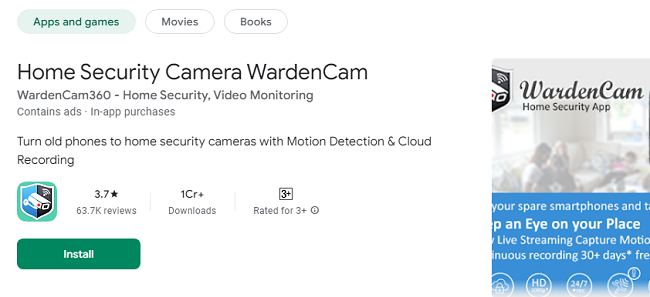
In today’s fast-paced world, ensuring the security of your home, office, or any other space is more critical than ever. With advancements in technology, traditional surveillance systems have evolved into smart, mobile-friendly solutions. WardenCam, a highly-rated mobile app for Android and iOS, is one such solution that turns your old smartphones and tablets into powerful security cameras. In this comprehensive guide, we’ll explore everything you need to know about WardenCam, including its features, benefits, setup process, and practical use cases.
What is WardenCam?
WardenCam is a versatile security app that allows users to repurpose old smartphones or tablets into home surveillance cameras. Instead of investing in expensive CCTV systems, you can use WardenCam to monitor your space remotely through a live video feed, motion detection alerts, and cloud recording capabilities. Available for both Android and iOS devices, WardenCam is designed to provide a cost-effective and reliable solution for home and office security.
Key Features of Home Security Camera WardenCam App
1. Remote Viewing
WardenCam enables you to watch live video feeds from anywhere in the world. All you need is an internet connection and the WardenCam app installed on both the camera (old device) and the viewer (your primary smartphone or tablet).
2. Motion Detection and Alerts
One of the standout features of WardenCam is its smart motion detection. The app can automatically detect motion and send instant alerts to your phone. This ensures that you’re notified of any unusual activity in real time.
3. Two-Way Audio
WardenCam’s two-way audio feature allows you to communicate with those on the other end of the camera. Whether you need to talk to a family member, a pet, or even ward off an intruder, this feature is invaluable.
4. Cloud and Local Recording
WardenCam supports both cloud storage and local storage options. You can save video recordings on Google Drive, Dropbox, or on the device itself, ensuring your footage is always accessible when needed.
5. Night Vision Mode
For 24/7 surveillance, WardenCam comes equipped with a night vision mode. This feature ensures that your camera captures clear footage even in low-light or dark environments.
6. Multiple Camera Support
The app allows users to connect multiple devices, making it perfect for monitoring multiple rooms or locations simultaneously.
How to Install WardenCam App on Your Android & iOS?
Setting up WardenCam is a straightforward process that only takes a few minutes. Here’s a step-by-step guide:
Step 1: Download the App
Go to the Google Play Store (for Android) or the Apple App Store (for iOS) and download WardenCam.
Step 2: Install on Both Devices
Install the app on both your old device (camera) and your current device (viewer).
Step 3: Sign In
Log in using your Google account for easy setup and cloud integration.
Step 4: Configure the Camera
On the old device, select “Camera” mode to begin streaming video.
Step 5: Set Up the Viewer
On your primary device, choose “Viewer” mode to watch the live feed.
Step 6: Adjust Settings
Customize motion detection sensitivity, cloud storage options, and notification preferences according to your needs.
Practical Use Cases for WardenCam
1. Home Security
WardenCam can be your primary home surveillance system, allowing you to monitor entry points, living rooms, or backyards from anywhere.
2. Baby Monitor
Turn an old phone into a reliable baby monitor. With motion detection and two-way audio, you can check on your baby anytime and even soothe them remotely.
3. Pet Monitoring
If you’re a pet owner, WardenCam lets you keep an eye on your furry friends. You can talk to them, monitor their behavior, and ensure they’re safe while you’re away.
4. Office Surveillance
For small businesses, WardenCam provides an affordable way to monitor office spaces, storerooms, or cash registers without the need for an expensive CCTV setup.
5. Vacation Monitoring
When you’re on vacation, WardenCam serves as an excellent tool to keep tabs on your property, ensuring peace of mind while you’re away.
Benefits of Using WardenCam
1. Cost-Effective
Unlike traditional security systems, WardenCam is budget-friendly. It leverages devices you already own, eliminating the need for expensive hardware purchases.
2. Easy to Use
The app’s user-friendly interface ensures that anyone can set it up without needing technical expertise.
3. Flexible Storage Options
With both cloud and local storage, you can choose how you want to save your video recordings based on your preferences and budget.
4. Portability
Because WardenCam uses smartphones and tablets, you can easily relocate your cameras as needed, providing maximum flexibility.
5. 24/7 Monitoring
With features like motion detection and night vision, WardenCam ensures round-the-clock surveillance.
Tips for Maximizing WardenCam’s Performance
1. Use a Stable Wi-Fi Connection
For the best video quality and uninterrupted streaming, ensure your devices are connected to a stable Wi-Fi network.
2. Position Cameras Strategically
Place your cameras at key locations such as entry points, hallways, or common areas to maximize coverage.
3. Optimize Motion Detection
Adjust the motion detection sensitivity to avoid false alarms triggered by pets or background movements.
4. Keep Devices Charged
Ensure your old device is always plugged in to prevent it from running out of battery during surveillance.
5. Regularly Update the App
Keep WardenCam updated to access the latest features and security enhancements.
Why Choose WardenCam App Over Traditional Security Systems?
1. No Monthly Fees
Unlike many security systems that require a subscription, WardenCam offers a one-time purchase for premium features with no ongoing monthly fees.
2. Eco-Friendly Solution
Repurposing old devices reduces electronic waste, making WardenCam an environmentally friendly choice.
3. Customizable Alerts
Unlike generic security systems, WardenCam’s alerts are highly customizable, ensuring you only receive notifications when necessary.
4. Global Access
With WardenCam, you can monitor your space from anywhere in the world, providing unmatched flexibility.
Conclusion
WardenCam is a powerful, cost-effective, and user-friendly solution for anyone seeking a reliable security system. By turning old smartphones and tablets into surveillance cameras, WardenCam offers a unique blend of convenience, flexibility, and affordability. Whether you need to monitor your home, office, or pets, WardenCam provides peace of mind with its advanced features like motion detection, two-way audio, and cloud storage.
With WardenCam, security is always at your fingertips. Download the app today and transform your old devices into a modern security solution!