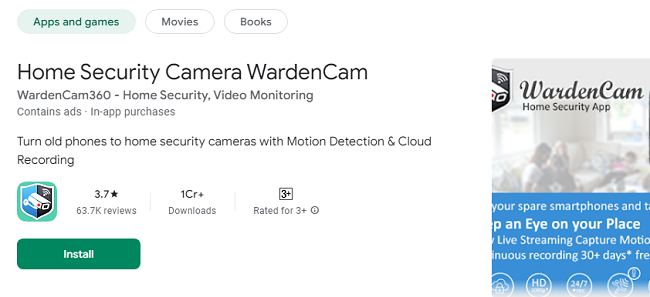
In a world where home security is paramount, WardenCam for iPhone and iPad offers a smart, cost-effective solution for monitoring your space. WardenCam turns your iOS devices into powerful security cameras, allowing you to keep an eye on your home, office, pets, or loved ones remotely. Whether you're at work, traveling, or simply in another room, WardenCam ensures peace of mind by providing real-time video streaming, motion detection, and cloud storage integration.
This guide explores everything you need to know about using WardenCam on iPhone and iPad, including setup instructions, features, pros and cons, and common FAQs to help you maximize its potential.
What is WardenCam?
WardenCam is a versatile app that transforms spare iPhones and iPads into surveillance cameras. It offers live video streaming, motion detection, cloud storage, and two-way audio communication. Whether you need to monitor your home, pets, or elderly family members, WardenCam provides a comprehensive solution without the need for expensive hardware or subscription services.
Features of WardenCam App on iOS
1. Live Video Streaming
With WardenCam, you can watch live video streams from your iPhone or iPad camera on another device in real-time. This allows you to monitor activity at any time, ensuring you’re always aware of what’s happening at home or in the office.
2. Motion Detection with Instant Alerts
WardenCam’s motion detection feature automatically records video when movement is detected. It sends instant alerts to your primary device via push notifications, so you’re immediately informed of any suspicious activity.
3. Cloud Storage Integration
The app integrates seamlessly with Google Drive and Dropbox, allowing you to store recorded footage securely in the cloud. This ensures that your videos are safe and accessible even if the camera device is lost or stolen.
4. Two-Way Audio Communication
WardenCam allows for two-way audio, enabling you to speak and listen through the camera device. This feature is perfect for communicating with family members, calming pets, or deterring potential intruders by letting them know they’re being watched.
5. Multi-Camera Support
You can connect multiple iPhones or iPads to the same WardenCam account, creating a comprehensive surveillance system that covers various areas of your home or office.
6. Day and Night Monitoring
While iPhones and iPads do not have infrared night vision, WardenCam optimizes available light to provide clear video even in low-light conditions. Placing the device in a well-lit area enhances its night monitoring capabilities.
How to Get & Set Up WardenCam for iPhone & iPad?
Setting up WardenCam on your iOS devices is quick and easy. Follow these steps to get started:
Step 1: Download the WardenCam App
Open the App Store on your iPhone or iPad.
Search for WardenCam and tap Get to download and install the app.
Step 2: Sign In with Your Google Account
Open the WardenCam app and sign in using your Google account.
Use the same Google account on both the camera device (iPhone/iPad) and the viewer device to ensure connectivity.
Step 3: Configure Camera and Viewer Modes
On the device you want to use as a camera, select Camera Mode.
Place the camera device in the desired location with a clear view of the area you want to monitor.
On your primary device (viewer), select Viewer Mode to watch the live feed from the camera device.
Step 4: Adjust Settings
Go to Settings within the app to configure motion detection sensitivity, notification preferences, and cloud storage options.
Enable Two-Way Audio if you want to communicate through the camera device.
Pros of Using WardenCam
1. Cost-Effective Security Solution
WardenCam leverages your existing iOS devices, eliminating the need for expensive security cameras or monitoring services. It provides professional-level security at a fraction of the cost.
2. Remote Monitoring from Anywhere
With WardenCam, you can monitor your home or office from anywhere in the world as long as you have an internet connection. This is ideal for frequent travelers or those who spend long hours away from home.
3. User-Friendly Interface
The WardenCam app is intuitive and easy to use, with a straightforward setup process and customizable settings that allow users to tailor the system to their needs.
4. Secure Cloud Storage
By integrating with Google Drive and Dropbox, WardenCam ensures that your recorded videos are stored securely and accessible at any time. This adds an extra layer of security to your surveillance system.
5. Two-Way Communication
The two-way audio feature allows you to communicate with anyone near the camera device, providing a unique way to check in on family members, pets, or visitors.
Cons of Using WardenCam
1. No Native Night Vision
iPhones and iPads lack infrared night vision, so WardenCam relies on ambient light for night monitoring. Placing the device in a well-lit area can help improve nighttime visibility.
2. Requires Continuous Power for Long-Term Use
For continuous monitoring, your iPhone or iPad needs to be plugged into a power source. This may limit placement options compared to dedicated security cameras.
3. Limited to Wi-Fi or Cellular Network
WardenCam requires a stable internet connection to stream video and send alerts. If your network is unreliable, the app’s performance may be affected.
FAQs about WardenCam App
1. Is WardenCam free to use on iPhone and iPad?
Yes, WardenCam is free to download and use. However, some advanced features may require a one-time purchase or subscription.
2. Can I use my iPad as a viewer while using my iPhone as a camera?
Yes, you can use any combination of iPhones and iPads as camera and viewer devices as long as they are signed in with the same Google account.
3. Does WardenCam work without an internet connection?
No, WardenCam requires a Wi-Fi or cellular internet connection to stream video and send motion detection alerts.
4. How do I enable motion detection on WardenCam?
Go to Settings within the app and toggle on Motion Detection. You can adjust the sensitivity level to suit your needs.
5. Is my video data secure with WardenCam?
Yes, WardenCam does not store your video data on its servers. All footage is stored directly in your Google Drive or Dropbox, ensuring privacy and security.
6. Can I monitor multiple cameras at once?
Yes, WardenCam supports multiple camera devices. You can view all connected cameras simultaneously from your viewer device.
7. Can I use WardenCam with other security devices?
WardenCam is designed as a standalone app and does not integrate with third-party security devices or systems.
Conclusion
WardenCam for iPhone and iPad offers a simple, cost-effective way to turn your iOS devices into powerful security cameras. With features like live video streaming, motion detection, cloud storage, and two-way audio, it provides a comprehensive home monitoring solution. Whether you’re looking to safeguard your home, monitor pets, or check on loved ones, WardenCam delivers peace of mind without the need for expensive equipment.
Download WardenCam today and experience the convenience and security of DIY home surveillance.